People seem to be spending more time using social media, one of the popular services is Facebook. Facebook has been getting people’s attention in one way or another since 2004, and it doesn’t seem to be stopping anytime soon.
The following are few simple ways to keep you notified of what happens when you are and are not on Facebook. I use them and other techniques to monitor my account, you should too.
- Log into Facebook
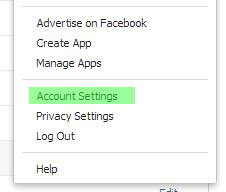
- Click the cog wheel on the right side of the menu
- Click on “Account Settings.”

Account settings – can be found on the cogwheel menu at the top right of FB’s window. - Click “Security” on the left menu
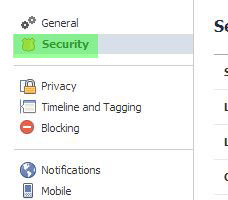
Facebook Security section, get to know it well enough, and you will be safer on Facebook. - Take a moment to review the options
- “Secure Browsing” and “Login Notifications” are the big two I will try to stress that you use.
- Secure Browsing should always be checked. HTTPS is more secure than HTTP
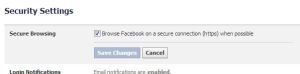
Secure Browsing – changes HTTP to https. YOU WANT THIS. - Login Notifications* – This will send you a notification every time someone logs into Facebook. With mobile apps, it will only notify you once per login.
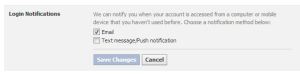
Login Notifications – can be an annoying but informative friend.
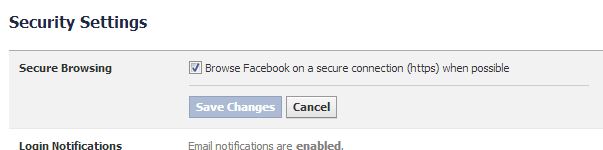

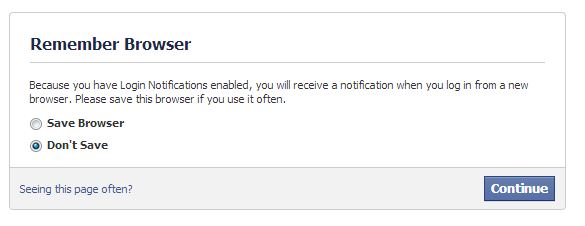
* Login Notifications once enabled will cause Facebook to challenge you on each login. It isn’t complicated; just a “do you want to remember this browser” type of question. I ALWAYS say “do not remember,” that way my phone gets an email on every login. It is a simple way to let you know of access to your account and at the end of the day just delete those notices if they all are your logins.
The next two items you should familiarize yourself are in case you suspect that someone else may have accessed your account from a computer where you told Facebook to “remember logins” from or anytime you would like to audit your account.
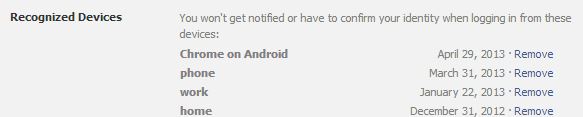
- Recognized Devices is a listing of all the devices and times that you told Facebook “Sure I want you to remember this browser because I am lazy.”
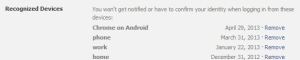
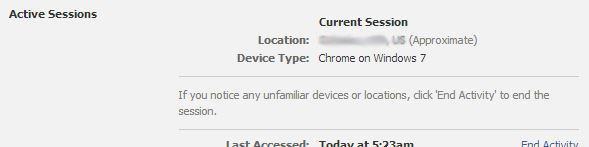
Recognized Devices – Important to get to know what devices you use to get onto Facebook. That way you can tell if something may be wrong. (IF you only use Android devices, and you see iPhone come up, you may want to check things out.) - Active Sessions – this one is important because it tells you what devices are using your account for good or evil. Example: It will tell you if you forgot to log out from your work computer. (Which you probably shouldn’t have been using for Facebook anyhow.) The location portion of this report is often wrong, especially if you are using a cell phone. It bases your location using your IP address. My favorite example of this was when I was in South Georgia, and Facebook showed me as being in New Jersey. Silly Facebook.
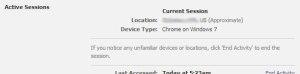
Sessions data – useful if you suspect someone other than you may have been in your account. (NOTE: Cell phones commonly show the incorrect state due to the IP addresses they pull when connecting to the network.)
These methods aren’t the only thing you should do when trying to keep your Facebook account secure; they are just a good start.
Above all else, don’t forget the following:
- Don’t use the same password as any other online service
- Pick a good password

 [ What's in a Name? ]