Dropbox vs. OneDrive for Business
– My experience and workaround
I’ve used Dropbox for some time personally, and one or two years ago I upgraded to the 1 TB version. I have been using OneDrive at work and my Dropbox account. Both have their pieces of awesome; however over time I seem to be noticing that OneDrive keeps messing up.
Every time OneDrive messes up I have to clear the cache and eventually have to reinstall it just to get the error to clear. What happens is that if I am editing any non-Microsoft file the likelihood of the file getting sync-stuck is very high. If it is a Microsoft office type of file it is perhaps a thirty percent chance of it getting “stuck”.
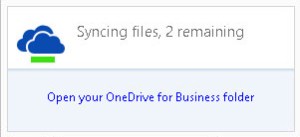
Right now on my work laptop I have two files that are sync-stuck, both are Microsoft files. That annoys me mostly because it is a Microsoft product syncing Microsoft files. It SHOULD just plain “WORK”. I see this happening again and again, not only on my system, but it also happens to others at work.
My experience with Dropbox both at work and personally just works; time and time again, it just works. It doesn’t sync-stuck any file I have ever thrown at it. Multiple gigabytes of data in a single file, one-megabyte file, less than a gigabyte file, and every time it takes the local copy and uploads to the cloud and vice versa.
When do I use OneDrive?
- When it is a small file in Microsoft Office
- When I am pulling a copy from the Microsoft Cloud
- When I send a large file via Office 365 (sometimes)
How do I use OneDrive? I upload files to OneDrive using a click and drag onto the browser maneuver then do whatever I am going to do in the browser, and then I let OneDrive pull that file to the local drive. For some reason, that seems to work better than me editing and it uploading, this is NOT how it is supposed to work. It’s a real pain and it a lot more work than it should be.
I have tried telling OneDrive to pause while I work, and then un-pause it when done. It doesn’t always work out.
So I turned to using Dropbox for development files and OneDrive for final versions to send wherever.
It’s such a drag, but it works… and I can do all of that faster than most people, so there is that.

 [ What's in a Name? ]