My work tablet

(This is the fourth post in a series.)

He has kept things running at his current job using minimum resources, lots of patience, and an interesting variation of stubborn loyalty. When others would have bailed, he stuck with it to see his plans change and go to fruition. He has been in charge of websites, networks, podcasting, social network monitoring and information dissemination, among other things.

He has two tablets (three if you count his Nook Color), one for work and one that is his personal. This post deals with his work tablet, the iPad 2 (WiFi).
  • Tablet: iPad 2
  • Alerts: no audible
  • On the main screen: Nearly full of icons, unlike the Android tablets, the iPad puts all icons on the screens. Yes, you can put them in folders, but there is no way to “hide” them without deleting them.
  • Case: It is one that a former co-worker bought and left for someone else to use. It folds back to lay flat and folds so that you can prop it up on your desk.
  • Background: I am not sure what the character is called, but it looks like a robot made out of cardboard boxes, standing in the street just after a shower of rain.
  • Last email:  A somewhat lengthy email with several metaphors in it talking about how website traffic should have been aimed at one goal not to several. About how posting to Twitter and Facebook can drive people to the site rather than from the website to Facebook and Twitter. And how with planning ahead that the most pain-in-the-neck posting tasks can be done.
  • The last app I used: App store, to update ten apps that haven’t been updated in some time.
  • Currently obsessed with: Not sure I am obsessed with any app on the iPad 2. I use Evernote and Chrome browser the most. 
  • Last download: Presence so that I could test the camera streaming functionality of the app (using iPhone as the transmitter).
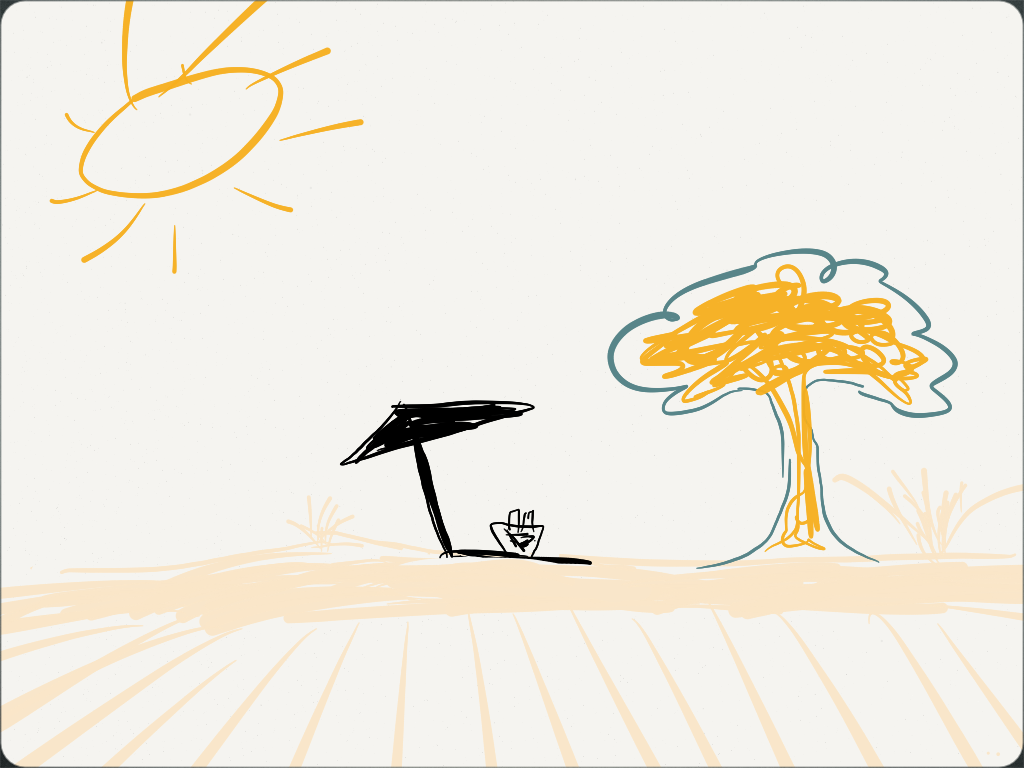
  • Most surprising app on the home screen: Paper by FiftyThree. I’ll just let you read what it is about. I use it for scribbling drawings. My best one so far is an image of a beach.
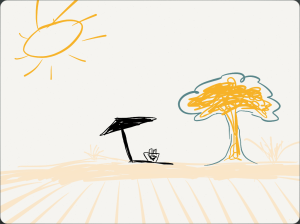
    A sketch done using the Paper app by FiftyThree - http://www.fiftythree.com/paper
    A sketch was done using the Paper app by FiftyThree – http://www.fiftythree.com/paper
  • Text or call: Neither.
  • Remaining battery: 51%. I haven’t charged it for several days, and it has been on standby. 
(Inspired by a Vanity Fair article)

Tablets – everyone seems to have an opinion, here’s mine. (Nook color vs. Xoom vs. iPad)

I bought a B&N Nook Color just before Christmas of 2010. (It was a present for me.) I bought it because I read… a lot. I have lots of paperback and hardcover books at the house. They range from classics to sci-fi, from horror to a couple that I guess you could call “romance” -I think that is what the author called them. I even have philosophy and history in my paper library.

I enjoy the smell of a book; I enjoy the feel of the document, and that is why I will continue to buy them under certain circumstances.

I bought the Nook because it may not have the feel or smell of a book but when traveling… It is awesome. I used to read three books when I’d fly somewhere and then have nothing once there. Then I’d have to buy something else and carry all of them back.

E-books and tablets ease that a lot. I search for a book or three, download them, read like normal, connect to the web download more, read and then take the tablet home. One thing to carry. Simple.

Nook color comes with a lightweight browser and some other add-ons. You can search for definitions of words, play chess, play Angry Birds (if you pay and download it) and other things too. Books, newspapers and magazines are available to download for your reading pleasure.

And reading is what I do on the Nook about 95% of the time. That is why I got it that is what it was bought for.

I’ve read where people have rooted their Nooks (which voids any warranty that the device had) and turned it into a lightweight tablet. I am not one of those people. There are reasons:

Warranties are there for a reason. If something goes wrong for any reason, no one will replace it if it has been rooted. Even if you root a Nook, it will not be nearly as polished as a Honeycomb tablet such as a Xoom. Better CPU, memory, etc… Fewer distractions on the Nook. When I read…. I read. Anywhere between 3 and 15 chapters in a single sitting. (Around 80-200+ pages)

The Xoom, on the other hand, is for my writing, some work, email, social media stuff, notes and a mini laptop.

I have not loaded the Nook app on the Xoom, and unless I am going on a quick trip, I won’t load it. I would rather carry the second tablet for the reason that I would want to read sometimes and other stuff the rest of the time. It’s a personal preference.

Apps I use on the Xoom will be added to the stuff page eventually.

A friend of mine just bought a Nook, an SD card, loaded a bootable version of Android Honeycomb on the card and had made his Nook color dual boot. Sure it is an experience thing but the Nook tablet isn’t made for a full experience. (Not to me at least.) If I were to do that then after doing so and after having the two minutes or less of “yay I did it” I would think to myself: “OK, now what?” Then eventually wipe the SD card and go on reading. Dual booting a Nook doesn’t take any “leet hacking” to do. Just Google search for a version you like, download and read the setup.

So what I am saying is:
1. Figure out what you want.
2. Ask people what they think of what they bought.
3. Go to the stores and play with them a lot.
4. Take a few days to think after playing, and then choose which (or both) to buy.

On an airplane, I will always read before trying to type a report, every time. So on a plane or in a car: Nook will win. Otherwise or should the situation come up where an email must be sent, and a laptop or desktop is unavailable… Xoom. (A smartphone can do emails, but it can be cumbersome to type on that tiny display/pad.)

My two cents…

And why did I chose Xoom over iPad?

… I wanted a tablet, not a supersized iPod touch.
I was disappointed with the iPod touch, not much more impressed with the iPad.